Blogs What to Send After Someone Finishes Your Shopify Quiz
What to Send After Someone Finishes Your Shopify Quiz
Your quiz told you exactly what the shopper needs. Here is a simple five-email plan to turn that knowledge into sales, with clear timing, stop rules, and tracking.

Admin
Updated on July 24, 2026 - 5 min read
Your Quiz Is Not the Finish Line
A shopper answers your questions. They see their result. Then they close the tab. That is normal. Most people do not buy on the first visit. They get busy. They compare. They forget.
This is where most Shopify quiz setups stop, and it is why so many quizzes look busy but sell very little. The quiz told you exactly what this shopper needs. Your follow-up emails are how you use that. Below is a simple five-email plan you can copy. Short emails. Clear order. Easy to set up.
What a Follow-Up Sequence Is
It is a small set of emails that go out on their own after someone finishes your quiz. Each email is timed. The first goes out straight away. The rest follow over the next two weeks. You write them once, and they run for every new quiz taker after that.
This is different from a newsletter. You are not sending one message to everybody. You are sending the right message to one shopper, based on the answers they gave you.
The 5 Emails, In Order
Email 1
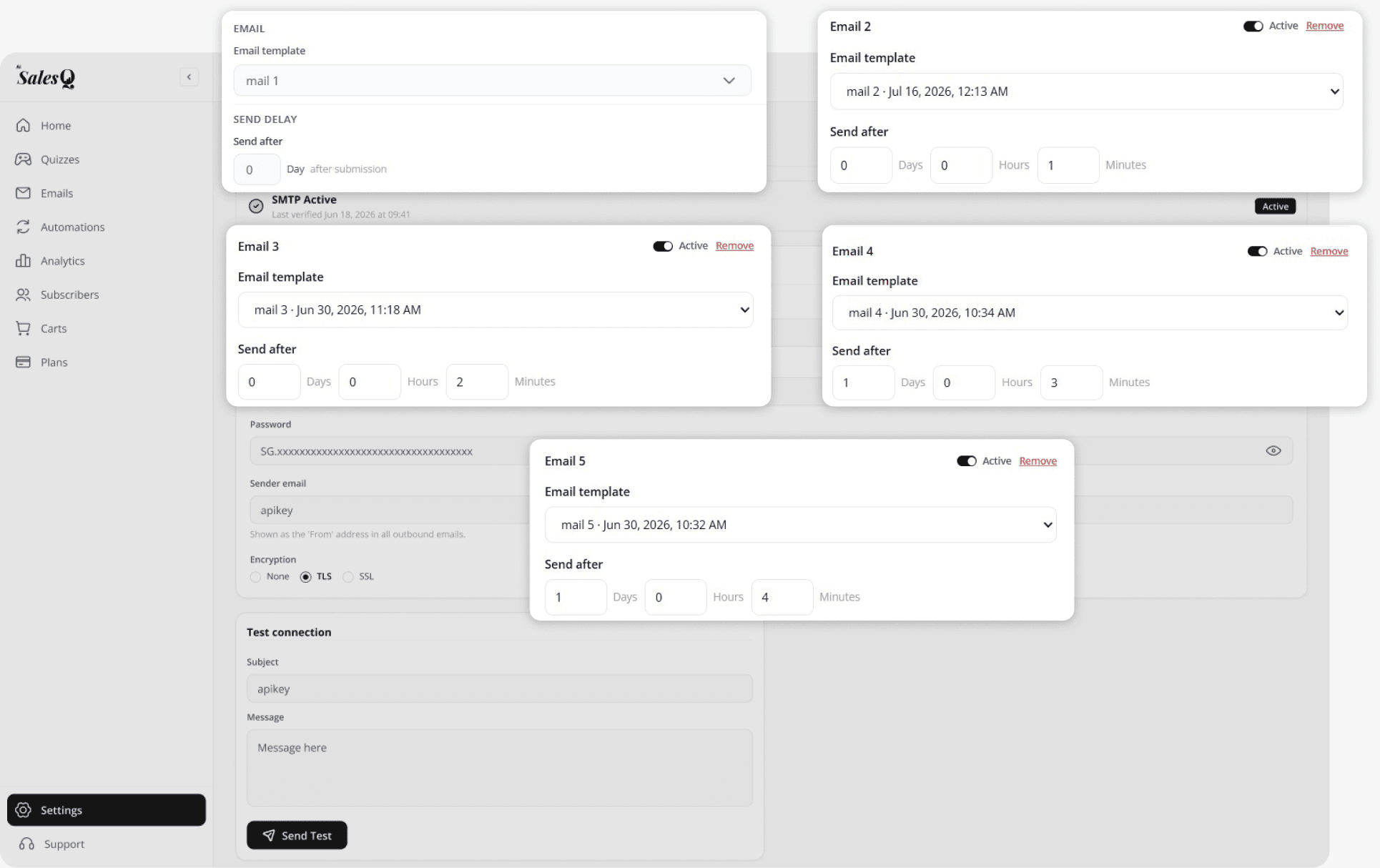
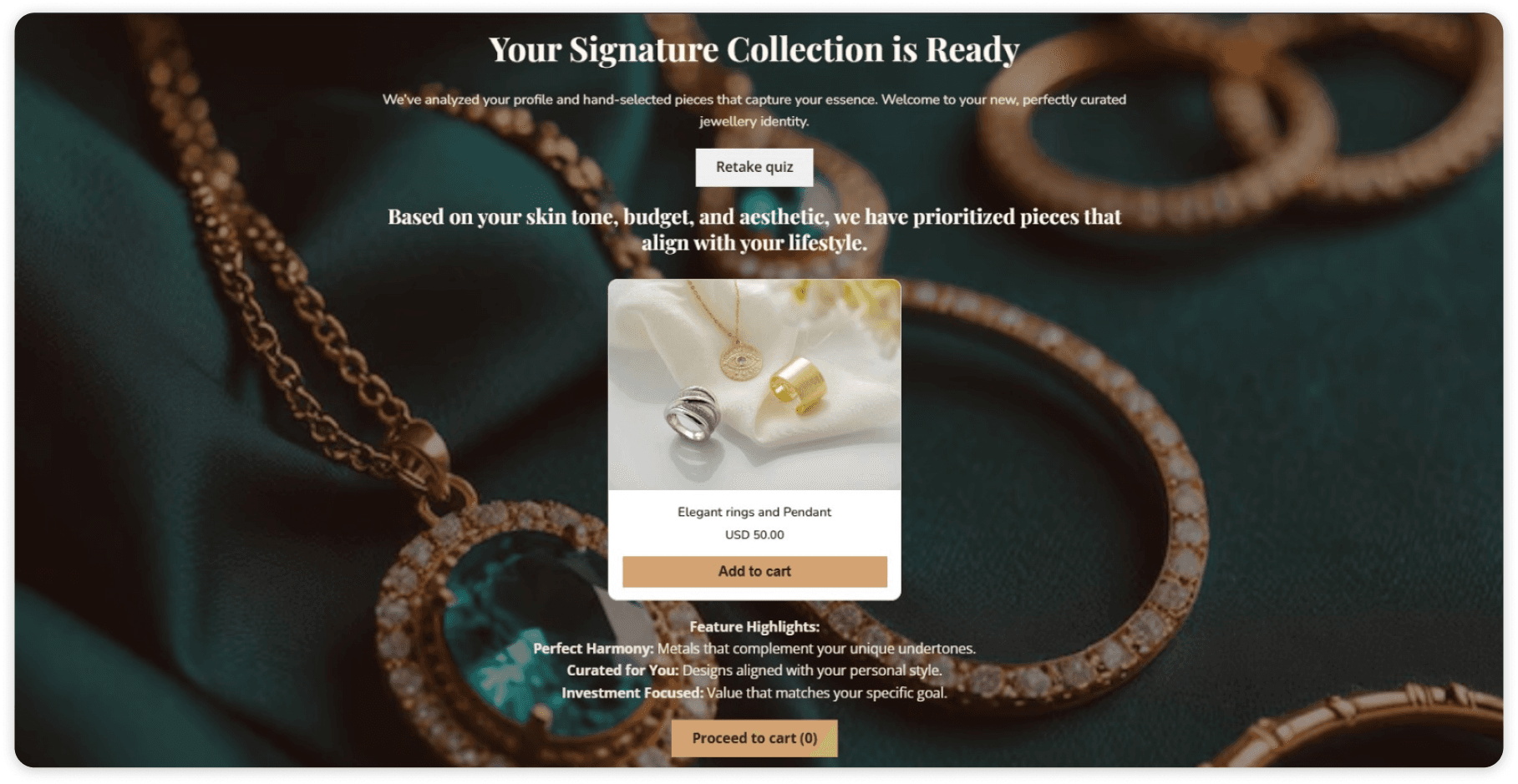
The quiz results email (send right away). This is the most important one. Send it within seconds of the quiz finishing. A good quiz results email repeats their result in plain words, shows the products you matched to them, and gives one clear button to buy. Do not add extra offers here. Do not add your brand story. The shopper just asked a question. Answer it. Subject line tip: use their answer, not your brand name. "Your dry skin routine" beats "Thanks for taking our quiz."
Email 2
The reason why (Day 2). Tell them why you picked those products for their answers. One short paragraph per product is enough. This email builds trust. A shopper who understands the reason behind a recommendation feels guided, not sold to.
Email 3
The gentle nudge (Day 4). Keep this one very short. Remind them their results are still saved. Add one link back to their result page. That is it. Many shoppers open this email, remember the quiz, and go straight back.
Email 4
The offer (Day 7). If your quiz gives a discount code, this is where you remind them about it. Say the code. Say when it ends. Link to the products. One offer per email. Two offers confuse people, and a confused shopper does nothing.
Email 5
The last check-in (Day 12). Ask a question instead of pushing. Something like: "Did you find what you were looking for?" Some shoppers will reply. Those replies tell you which quiz questions are unclear, and that is worth more than a single sale.
Day 0
Email 1
Key
Results + Top Pick
Send immediately after quiz completion. Show their #1 recommended product with the quiz result.
Day 2
Email 2
Why It Works
Explain the reasoning behind the recommendation. Build trust with education.
Day 4
Email 3
Gentle Nudge
Remind them their results are still saved. Add one link back to their result page.
Day 7
Email 4
Key
The Offer
Remind them of the discount code. Say when it ends. Link to the products.
Day 12
Email 5
Last Check-in
Ask a question like "Did you find what you were looking for?" to gather feedback.
“A shopper who understands the reason behind a recommendation feels guided, not sold to.”
Stop the Emails When the Shopper Buys
This part gets missed a lot. If someone buys on Day 3, they should not get the Day 7 discount email. It feels careless. Worse, it teaches them to wait for a code next time.
So set stop rules. A good sequence stops on its own when a shopper adds a recommended product to their cart, starts checkout, or pays for an order. Set these rules once. After that, the sequence takes care of itself.
How Do You Know It Worked?
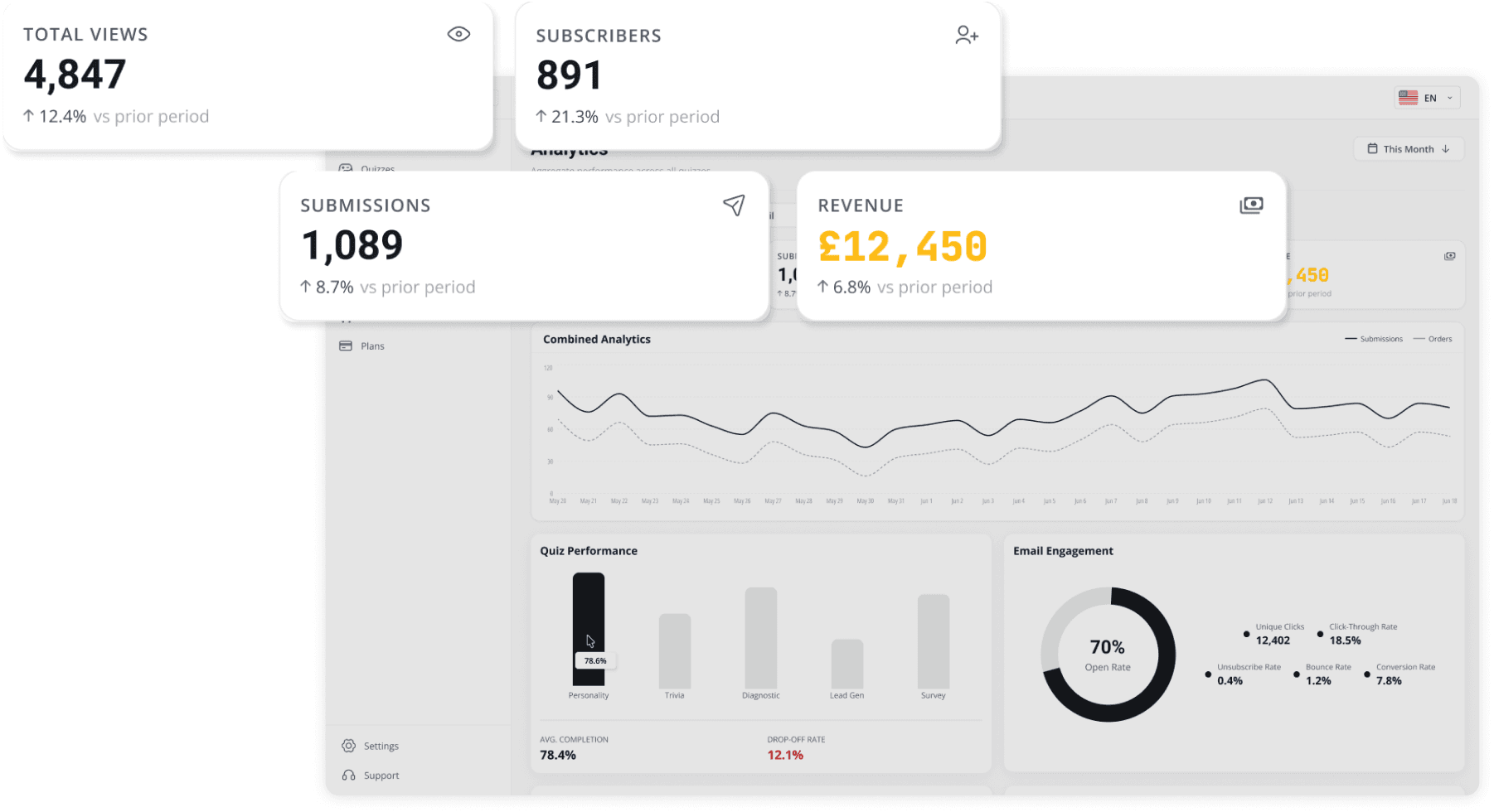
Track four numbers, not forty: How many people opened the results email. How many clicked through. How many bought. How much revenue came back to the quiz. That last one is the hard part. Shoppers often buy days or weeks later. By then, most tracking has already lost them.
Our attribution links the sale back to the person, not to a browser session. So a purchase in week six still counts against the quiz that started it. You can see how that works on our quiz revenue tracking page. For context, one skincare routine finder we track brought in 4,847 views and 1,203 submissions over 90 days. That produced 891 subscribers and £12,450 in attributed revenue.
Where Should These Emails Come From?
Most quiz apps stop at the quiz. They hand your subscriber list to a separate email platform, and you build the rest over there. That means two tools, two logins, and two sets of numbers that rarely agree.
AISalesQ keeps the whole loop in one place. The quiz, the emails, and the revenue report all live in the same app. You can also describe the email you want, including the product, the tone, and the goal, and let the app write a first draft for you. You edit it before anything sends. Learn more on our Shopify quiz email automation page.
Start With One Email
You do not need five emails on day one. Build the quiz results email first. Get it right. Add the rest over the next few weeks. New to this? Start with our Shopify quiz builder, and read how quiz lead capture collects the email address in the first place.
Build your quiz and its follow-up emails in one app. AISalesQ gives you the quiz builder, the email sequence, and the revenue report together. There is a free plan, so you can build your first quiz and results email before you pay anything. Install AISalesQ on Shopify → Want to see the plans first? View pricing.
Keep reading
You might also like

Shopify Custom Apps After the 2026 Dev Dashboard Change: What Actually Broke
Since 1 January 2026 you cannot create a custom app in the Shopify admin. Here is the new Dev Dashboard flow, the access token change that breaks old integrations, and a checklist for merchants and developers.

Dawn to Horizon Migration: An Honest Guide for 2026
There is no automatic Dawn to Horizon migration. Here is what actually changes, what breaks, who should move now, who should stay on Dawn, and the rebuild plan that works.
Newsletter
Subscribe to new posts